
Transaction ID (T-ID): What It Is and Why Your Balance Needs It
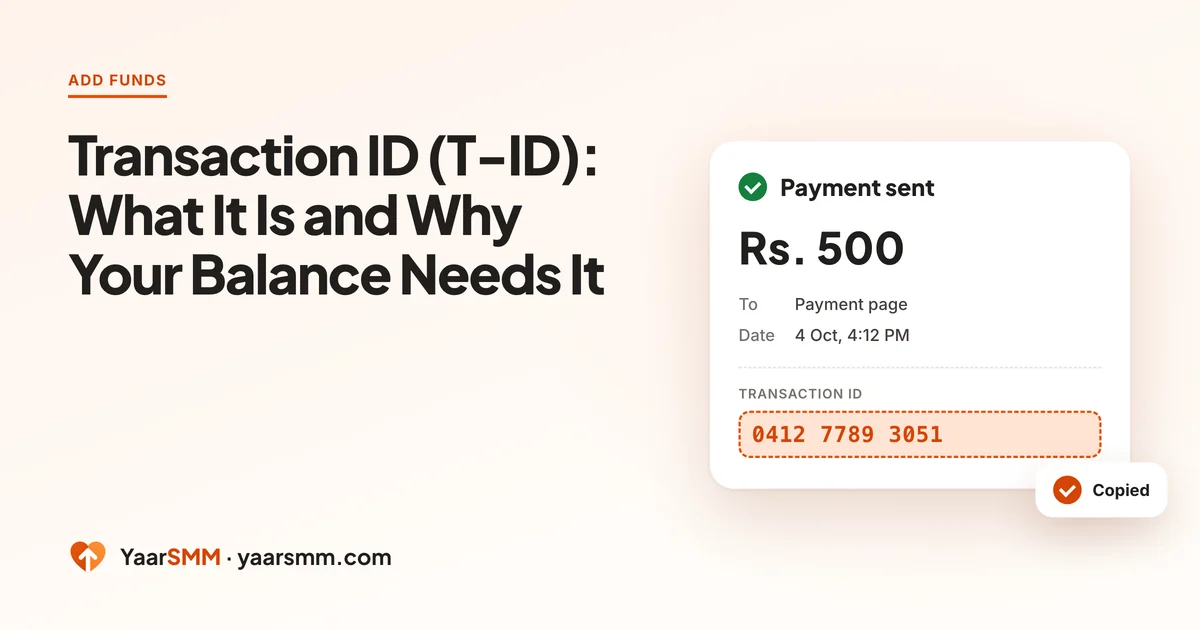
When a payment has left your wallet but your balance has not moved, the cause is almost always one number on your wallet receipt, the transaction ID. Below is what it is, where each wallet keeps it, and why the payment page asks for it.
What a transaction ID is
Every time you send money, your wallet creates a reference for that one payment. EasyPaisa calls it a Transaction ID, JazzCash shows a TID, NayaPay and SadaPay show a reference or transaction number. Whatever the label, it identifies one transfer and no other.
- It belongs to one payment. Send money twice and you get two different numbers.
- It is not your account number. Your wallet or phone number identifies you; the T-ID identifies the payment.
- It is on the receipt. Every wallet shows it on the confirmation screen and in its transaction history.
Where to find it in each wallet
The exact screens change with app updates, but the number is always in two places: the confirmation that appears straight after you pay, and the payment’s entry in your history.
- EasyPaisa: on the success screen after the transfer, labelled Transaction ID. Later, open the transaction in your history to see it again.
- JazzCash: on the receipt screen, labelled TID. The same number appears in the SMS JazzCash sends.
- NayaPay: open the payment in your activity list; the reference is shown in its details.
- SadaPay: open the transfer in your activity; the transaction reference is in the details view.
Copy the number exactly. A missing digit is enough for it not to match.
Why the payment page asks for it
Your top-up and your payment start in two different places. The top-up is created on YaarSMM. The money moves inside your wallet app. The payment page is where the two meet, and the transaction ID is how it knows that this payment belongs to that top-up.
That is why the Enter T-ID box matters. Pasting the number and pressing Verify links the payment to your top-up, and the balance updates. Without it, the payment is recorded but not connected to your account.
Typos, wrong receipts and failed transfers
Matching is strict on purpose. The transaction ID is checked against the payment the gateway received for your top-up: the same reference, the right amount, the right time window. A loose match would let one payment be claimed twice, or a payment be claimed by the wrong account.
A T-ID usually fails to match for one of these reasons:
- A typo. A digit missing or swapped. Copy and paste instead of retyping, and check the first and last few digits.
- The wrong receipt. If you paid several people that day, it is easy to copy the reference from a different transfer. Match the amount and time on the receipt to your top-up.
- A transfer that never completed. If your wallet shows the payment as failed or reversed, there is no transaction to match. Check your wallet history first.
What not to send to support
When a payment is being checked, a few things slow it down rather than speed it up:
- Your wallet PIN or password. Nobody needs it, ever. Anyone asking for it in YaarSMM’s name is not us.
- A cropped screenshot without the reference. The transaction ID, amount and time are the parts that get checked. Make sure they are visible.
- A second payment “to fix it”. It creates a second top-up to reconcile, while the first is still waiting.
If you skipped the box
It happens: the wallet app opens, you pay, and the payment page tab is forgotten. The money is safe; it just has not been linked to your account yet.
- If the payment page is still open and has not expired, paste the T-ID and press Verify now.
- If the page has closed or expired, open Add funds and choose Already paid? Send your receipt.
- Enter the transaction ID, the amount and the time you paid, and attach the receipt image.
The claim is checked against your account. Please do not pay the same amount again while you wait.
A claim needs the gateway to confirm the payment, so it takes longer than Verify, and a receipt without a transaction ID usually cannot be checked at all. Copying the number at the moment you pay saves the wait.
How long a receipt check takes
A receipt sent through Already paid? is checked against the payment the gateway recorded, so its timing depends on that confirmation, not on how quickly support reads it. Most of the delay is avoided by sending everything at once: the transaction ID, the exact amount, the time you paid and the receipt image. A claim missing one of these usually needs another round of questions before it can be checked.
Keeping it simple next time
Next time, copy the T-ID before you leave the wallet app, then go straight back to the payment page. The full routine is in SMM Panel with EasyPaisa: How Adding Funds Works, and the short version lives on the add-funds page.
Questions
Is the T-ID the same as my wallet number?
No. Your wallet number identifies you. The transaction ID identifies one payment, and it is different every time you send money.
Can I use a screenshot instead of the T-ID?
A screenshot helps, but the transaction ID is what gets matched. A receipt sent without it usually cannot be checked, so copy the number from the receipt.
I closed the payment page before pressing Verify. Is the money lost?
No. The payment is recorded by your wallet and the gateway. Use Already paid? Send your receipt on the Add funds page with the transaction ID, amount and time, and it is checked against your account.
Can I enter someone else's T-ID?
No. A transaction ID can only be claimed once, and it must match a payment for your top-up.
Ready when you are.
Send a receipt for a payment